A short guide to using Sudoswap to trade your NFT. Please always make sure the URL is sudoswap.xyz and bookmark it to be safe.
website: https://sudoswap.xyz/
twitter: https://twitter.com/sudoswap
目錄
Create a Swap (Buyer side)
- Click the Menu button on the top left side
- Click create swap
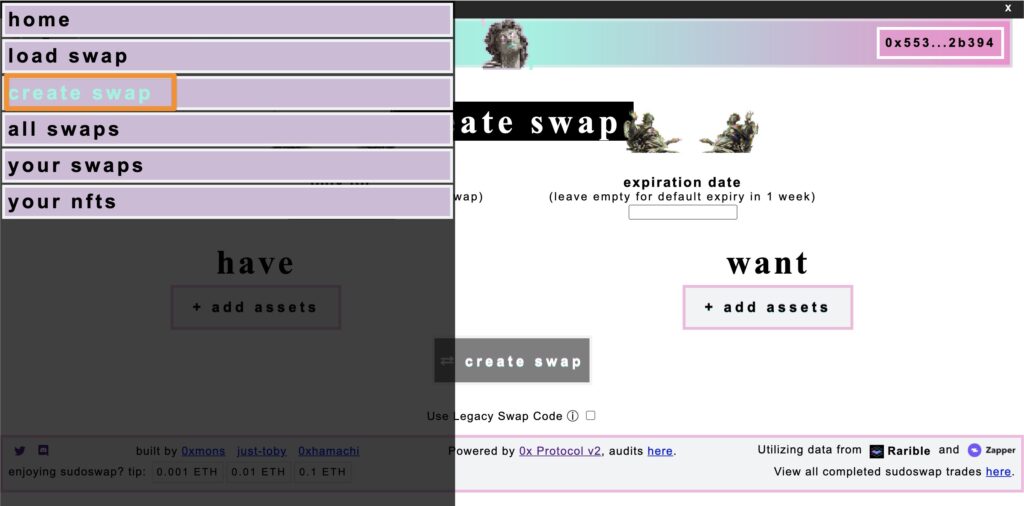
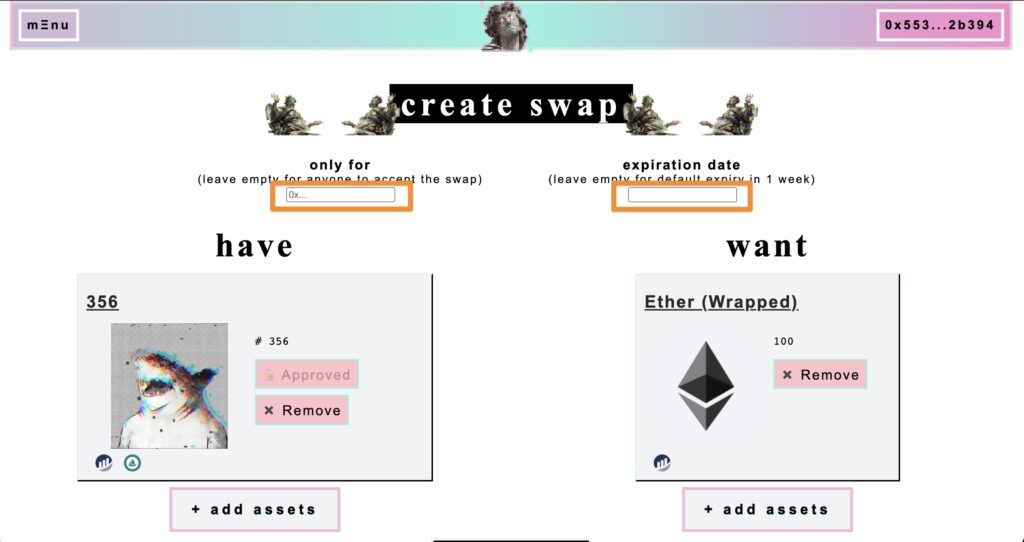
- Put the NFT or Crypto you want to exchange
- Can put the expiration date (option)
- Can put the exchange address (option)
- At the end, click the “create swap”
Recieve the Swaps (Seller side)
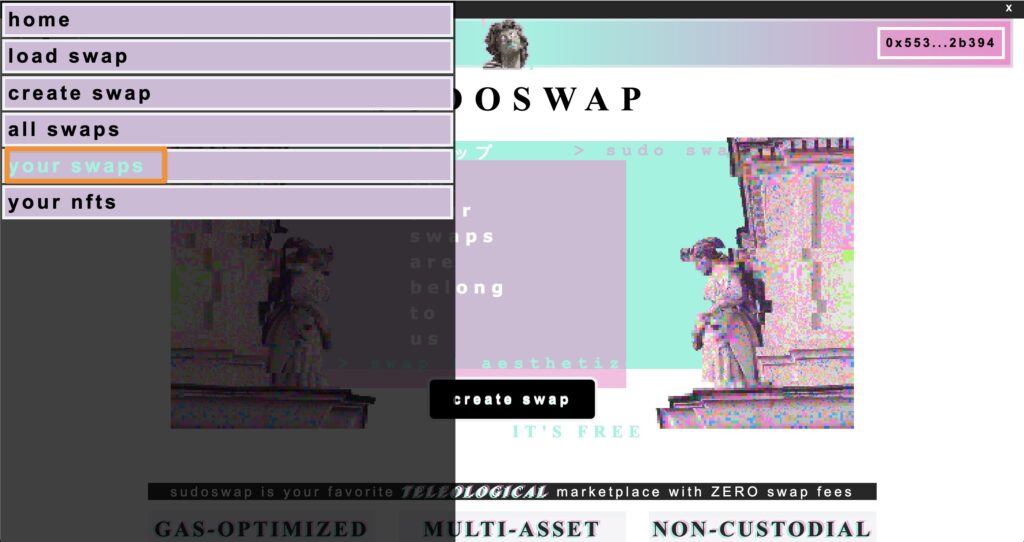
- Click the Menu button on the top left side
- Click your swaps
3. Click the swap order
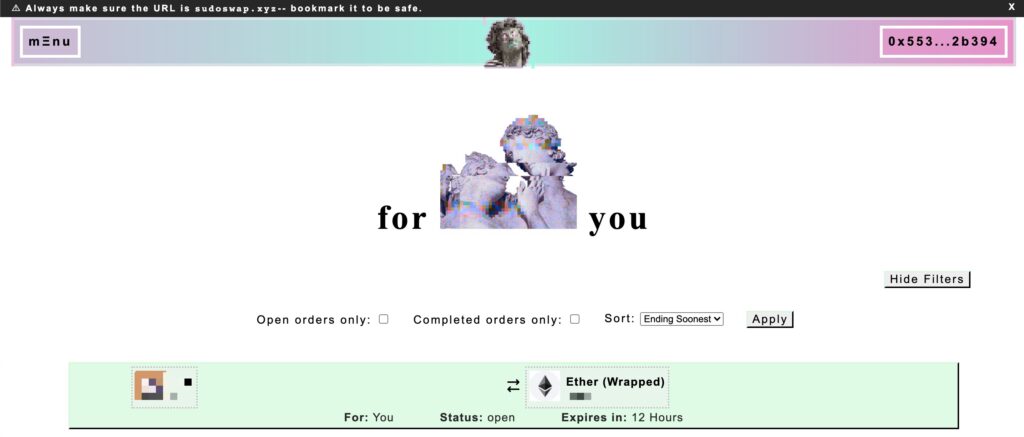
4. Check the exchange information
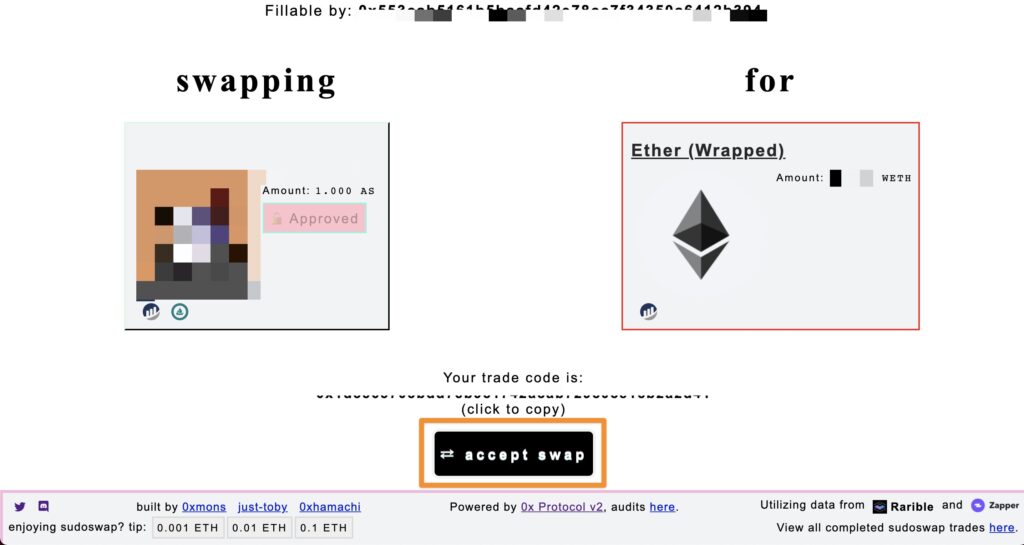
5. Click the accept swap
Note:
- There is No Transaction fee from sudoswap, you only need to pay the GAS fee.
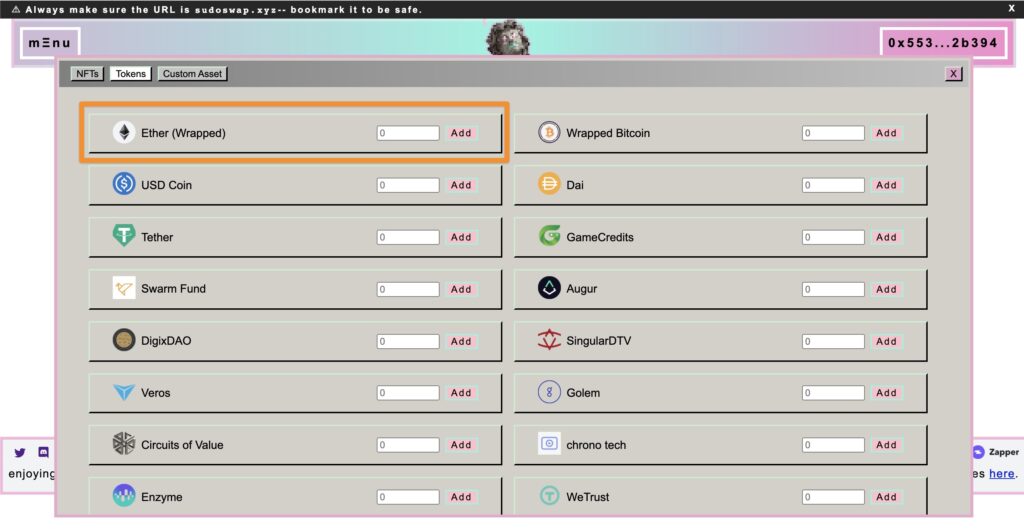
- There is No ETH token can exchange, you need to prepare the WETH.
Head up!
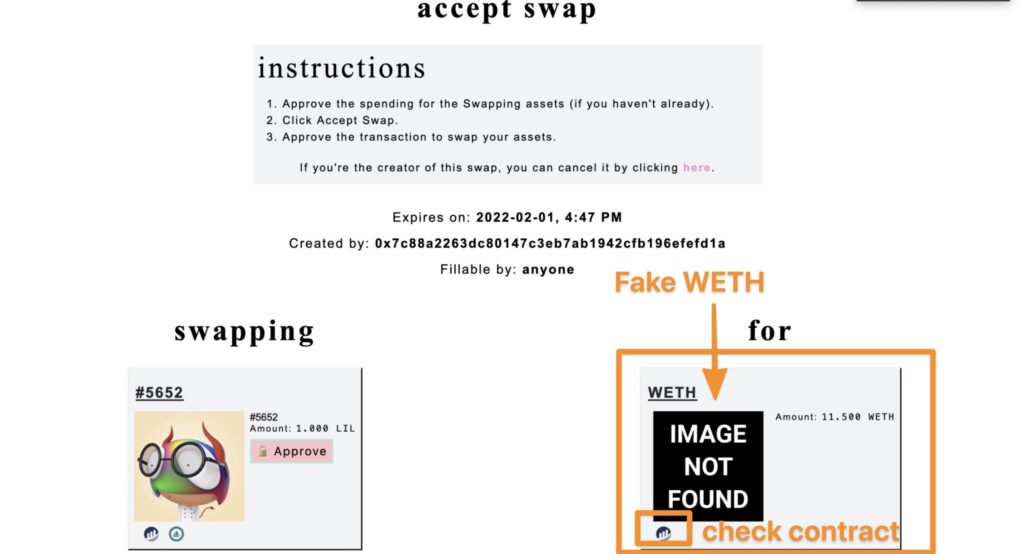
Some one will use the FAKE WETH to trade with you!!!!!!
The real WETH contract is this “0xC02aaA39b223FE8D0A0e5C4F27eAD9083C756Cc2”
https://etherscan.io/address/0xC02aaA39b223FE8D0A0e5C4F27eAD9083C756Cc2
Thanks for your reading. I hope this article will help you better understand sudoswap.